
Home » Lead Source and Marketing Attribution Tracking in ClickUp CRM » How to track X ad parameters in ClickUp CRM
Watch lead source tracking in action
If you’re collecting leads through X Ads Manager and pushing them into ClickUp CRM, you’ve probably noticed a major limitation: you can’t see which campaign, adset, or ad brought in each contact.
X’s interface gives you totals, but not the granular attribution you need. When one of those leads becomes a paying customer, there’s no way to link that revenue back to the exact ad that drove the conversion.
In this article, you’ll learn a simple way to pass X ad parameters directly into ClickUp CRM so every lead comes with clear, trackable attribution.
LeadSources is a marketing attribution software built to capture X ad parameters for every lead you generate.
When a visitor fills out a form and becomes a lead, LeadSources automatically passes the X ad data found in the URL straight into ClickUp CRM.
Each lead arrives with a detailed attribution report that includes:
LeadSources doesn’t just work with X, it also tracks attribution across PPC, SEO, social platforms, PR, email campaigns, and more.
Its attribution engine is designed to keep the full picture intact for every lead:
Imagine this scenario: someone lands on your website through an X ad but leaves without converting. Months pass. That same person later returns via an organic search on Google and finally fills out your form.
LeadSources keeps the entire history. It reconnects all past sessions to the same visitor, giving you a full attribution timeline (from the very first touchpoint to the moment the form is submitted).
By mapping every step of the lead’s journey, you can clearly understand how each channel contributed to the conversion.
This level of visibility lets you calculate the real ROI of every marketing source involved in generating the sale.
Sign up to LeadSources (we offer a 14-day free trial).
Enter the URL of the website you want to track.
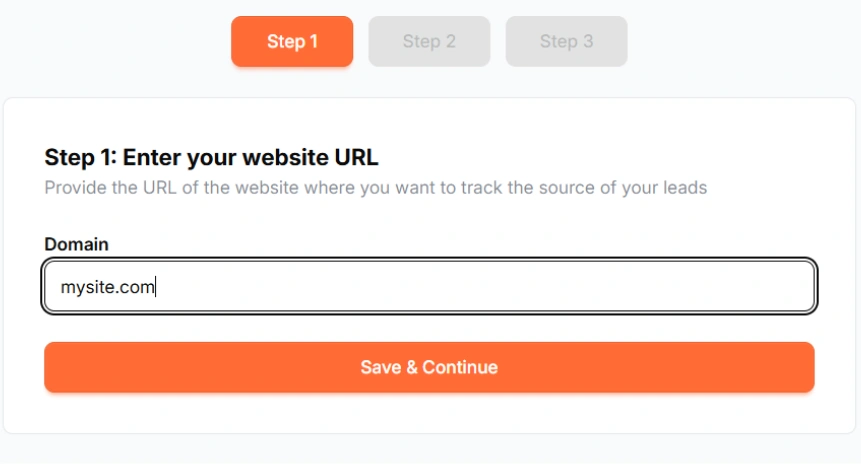
Copy and paste your LeadSources tracking code into the <head> section of your website.

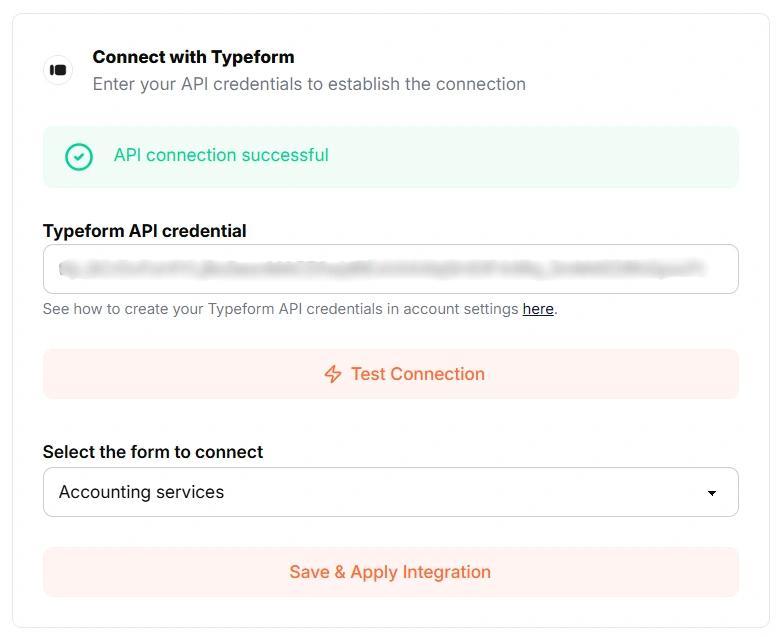
Connect your form in one click with our native integrations.
Select the form you want to track.
LeadSources will start tracking the X ad parameters for every lead you generate.
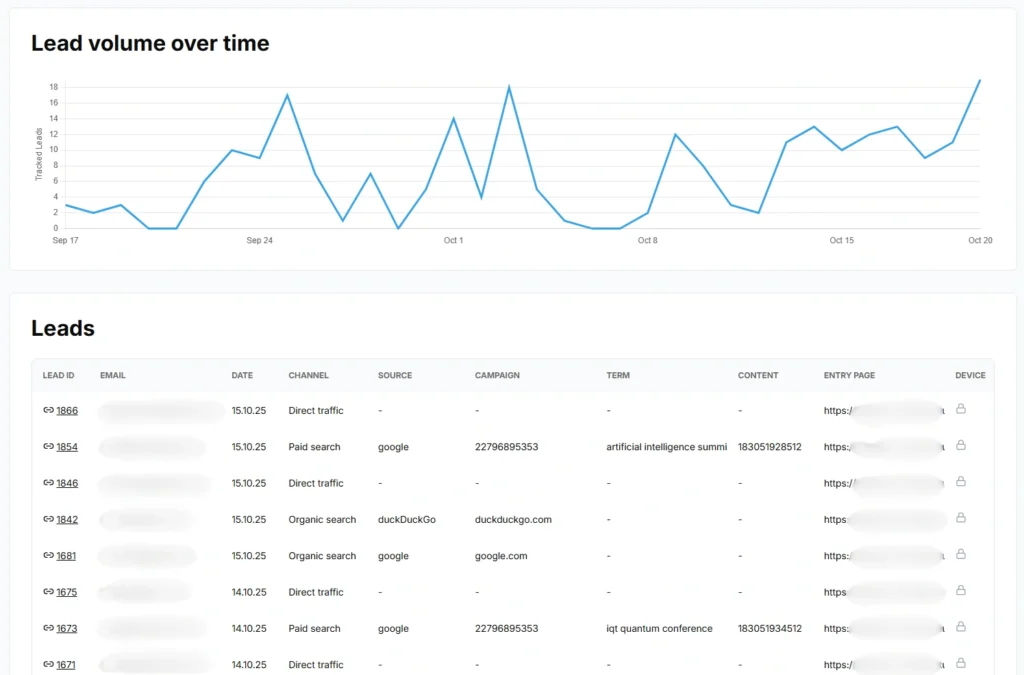
You can send to ClickUp CRM the following X ad parameters for each lead:
Yes. You can send X ad parameters to ClickUp CRM using LeadSources:
LeadSources collects the following X ad parameters for each lead you generate (Make sure to add them to the URLs of your different marketing campaigns):
Besides the UTM parameters, the following lead source data is also appended to each lead:
This data is available in your LeadSources dashboard.
You can send the following last-touch attribution data to ClickUp CRM:
As multi-touch attribution software, LeadSources tracks X ad parameters across the entire customer journey (from first click to lead submission).
This data is displayed in your LeadSources dashboard. From there, you can send the last-touch attribution data (including X ad parameters) in ClickUp CRM.
Start your free trial today and track the full source of every lead across their journey.
