

TL;DR
- A marketing analytics dashboard consolidates lead attribution, pipeline, and channel performance data into a single, real-time view—eliminating the need to context-switch between disconnected tools.
- High-performing revenue teams use dashboards to enforce a single source of truth across CRM, paid media, and web analytics, directly reducing attribution latency and misallocated budget.
- Dashboard design is a strategic decision: the wrong metrics surface at the C-suite level create organizational blind spots, while the right ones compress the time from insight to spend reallocation.
What Is a Dashboard?
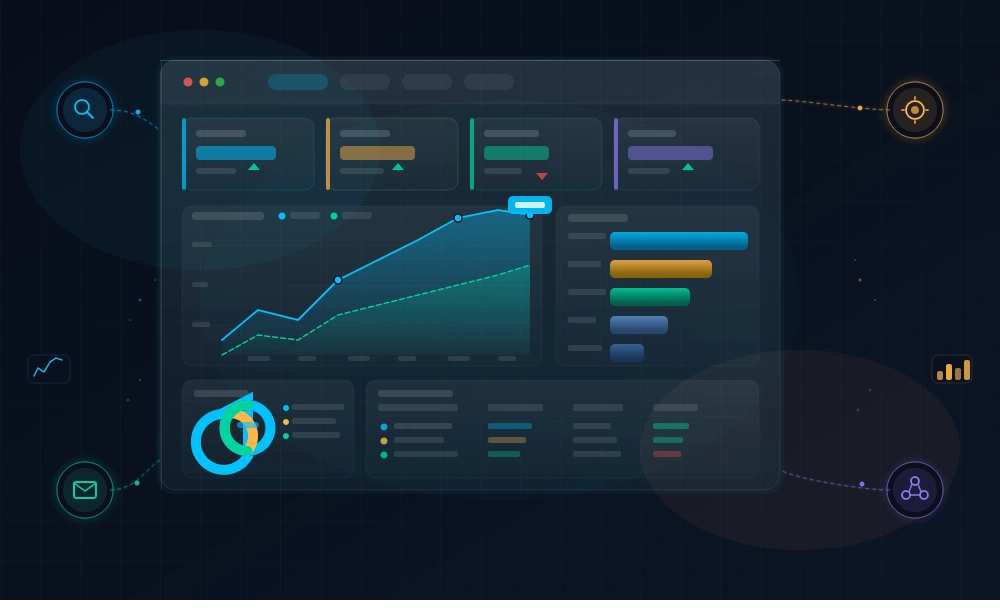
A dashboard is a centralized, visual interface that aggregates and displays key performance data across marketing, sales, and revenue operations in real time—or near real time.
In the context of lead attribution and demand generation, a dashboard is where raw signal becomes actionable intelligence. It translates disparate data streams—CRM records, ad platform APIs, form submissions, UTM parameters—into structured, decision-ready views.
Unlike static reports, dashboards are dynamic. They update continuously, enabling revenue leaders to monitor CPL by channel, MQL-to-SQL conversion rates, pipeline velocity, and first-touch vs. multi-touch attribution performance simultaneously.
The distinction between a report and a dashboard is critical. Reports are retrospective; dashboards are operational. CMOs who confuse the two are optimizing for documentation rather than real-time decision authority.
Test LeadSources today. Enter your email below and receive a lead source report showing all the lead source data we track—exactly what you’d see for every lead tracked in your LeadSources account.
How a Marketing Analytics Dashboard Works
At the infrastructure level, a dashboard functions as a data aggregation and visualization layer. It connects to data sources via native integrations, API connectors, or middleware tools like ETL pipelines.
For lead attribution specifically, the data flow typically looks like this:
- Ingestion: Lead source data (UTM parameters, referrer strings, session data) is captured at the point of form submission and written to your CRM.
- Normalization: Disparate data formats from Google Ads, LinkedIn, organic search, and direct traffic are standardized into consistent attribution fields.
- Aggregation: Data is rolled up by dimension—channel, campaign, content asset, geographic segment—and calculated against conversion and revenue metrics.
- Visualization: Charts, tables, and KPI cards render the aggregated data in formats optimized for the intended audience (executive overview vs. analyst deep-dive).
Refresh cadence matters enormously. A dashboard pulling data on a 24-hour delay is operationally inert for paid media optimization. Best-in-class implementations sync attribution data within minutes of a lead event, enabling same-day budget reallocation decisions.
Why Dashboards Are Central to Lead Attribution Strategy
The core value proposition of a marketing dashboard in an attribution context is eliminating the lag between lead event and revenue insight.
Without a unified dashboard, attribution data lives across multiple systems: Google Analytics for traffic, the CRM for pipeline, ad platforms for spend, and spreadsheets for everything else. The reconciliation overhead is significant—Salesforce’s State of Marketing research consistently shows that marketing teams spend a disproportionate share of their time on manual reporting rather than analysis.
A properly configured attribution dashboard surfaces three layers of value:
- Channel efficiency: CPL, conversion rate, and ROAS by source give media teams the signal to shift budget from underperforming channels within days, not quarters.
- Pipeline quality: MQL-to-SQL and SQL-to-close rates by lead source reveal which channels produce revenue, not just volume. High-CPL channels often deliver superior LTV when tracked through to closed-won.
- Funnel velocity: Time-to-MQL and time-to-close metrics by acquisition channel expose bottlenecks invisible at the aggregate level.
According to Gartner, organizations that establish a single source of truth for marketing attribution see meaningful improvements in their ability to justify and optimize marketing spend compared to those operating with fragmented reporting environments.
Types of Marketing Dashboards
Dashboard architecture should map to the decision-making layer consuming it. A single dashboard attempting to serve both the CMO and the PPC manager will serve neither effectively.
Executive / C-Suite Dashboard
Surfaces revenue-level KPIs: total pipeline generated, CAC by segment, marketing-sourced revenue percentage, and blended ROAS. Designed for weekly or monthly strategic reviews.
Granularity is deliberately low; trend lines and period-over-period comparisons dominate.
Channel Performance Dashboard
Operates at the campaign and ad set level. Tracks CPL, CPC, impression share, conversion rate, and lead quality score by channel and campaign. Primary audience is demand generation managers and media buyers.
This dashboard type requires attribution data that connects ad platform spend directly to CRM-recorded leads—a connection that breaks down without contact-level tracking.
Pipeline Attribution Dashboard
Maps marketing activity to sales outcomes. Tracks first-touch and multi-touch attribution models side by side, surfaces influenced pipeline by channel, and calculates marketing-sourced vs. sales-sourced revenue splits.
This is the dashboard that resolves the perennial CMO-CRO tension over pipeline ownership.
Operational / Lead Flow Dashboard
Real-time monitoring of inbound lead volume, form completion rates, lead source distribution, and CRM sync health. Used by marketing operations and revenue operations teams to detect anomalies—traffic spikes, attribution gaps, integration failures—before they affect pipeline reporting.
Dashboard Best Practices for Revenue-Focused Teams
The most common failure mode is dashboard sprawl: too many dashboards, too many metrics, and no clear owner. Gartner’s research on analytics maturity identifies metric overload as a primary driver of low dashboard adoption and poor decision quality.
Principles for high-impact dashboard design:
- Metric hierarchy first: Define the North Star metric and the 3–5 leading indicators that predict it. Build the dashboard around that hierarchy, not around data availability.
- Attribution model consistency: Choose a primary attribution model (first-touch, last-touch, linear, data-driven) and apply it consistently across all views. Mixed attribution models on the same dashboard produce contradictory narratives.
- Audience-specific views: Segment dashboards by decision-making layer. Use role-based access controls to surface only the data each audience needs to act on.
- Anomaly alerting: Static dashboards require human monitoring. High-maturity implementations add automated threshold alerts—triggered when CPL exceeds a defined ceiling or lead volume drops below baseline—to convert dashboards from passive views into active monitoring systems.
- Data freshness indicators: Always surface the last-updated timestamp. A dashboard without data recency context is a liability in a live budget conversation.
Common Pitfalls in Attribution Dashboard Implementation
Attribution dashboards are only as reliable as the data feeding them. Several failure patterns recur across organizations regardless of the tooling in use.
Vanity metric dominance: Sessions, impressions, and raw lead volume are easy to populate and easy to inflate. Without downstream revenue and pipeline data connected to source, these metrics create false confidence in channel performance.
Last-click bias: Default attribution in most CRM and ad platforms favors last-touch, systematically undervaluing top-of-funnel channels—particularly branded content, organic social, and awareness-stage paid media. Dashboards built on last-click data distort budget allocation over time.
Attribution gaps from missing UTM coverage: Inconsistent UTM tagging across campaigns produces “direct / none” traffic that obscures true channel performance. A single untagged email campaign can corrupt weeks of attribution data in the dashboard.
CRM-analytics disconnect: When lead source data doesn’t flow from the form submission into the CRM contact record, the dashboard can show channel-level conversion metrics without connecting those conversions to revenue outcomes. This gap is where contact-level tracking tools solve a fundamental infrastructure problem.
Frequently Asked Questions
What is the difference between a dashboard and a report in marketing analytics?
A report is a static snapshot of historical performance, typically generated on a scheduled basis and designed for documentation or review purposes. A dashboard is a dynamic, continuously updated interface designed for real-time monitoring and operational decision-making. The key distinction is latency and interactivity: dashboards compress the time between data event and insight availability.
How many metrics should a CMO-level marketing dashboard display?
Research from Gartner and BARC consistently points to 5–9 KPIs as the optimal range for executive dashboards. Beyond that threshold, cognitive load increases and the dashboard’s decision-support value degrades. The discipline is in exclusion: every metric that isn’t tied to a specific decision or action should be removed.
What attribution model should I use for my marketing dashboard?
There is no universally correct answer—the right model depends on your sales cycle length, channel mix, and organizational priorities. First-touch attribution favors awareness and acquisition insights; last-touch optimizes for conversion efficiency; linear and time-decay models better represent multi-touch journeys. Data-driven attribution (available in Google Analytics 4 and some CRM platforms) uses machine learning to weight touchpoints based on actual conversion patterns and is generally most accurate for mature programs with sufficient conversion volume.
Can a dashboard replace a dedicated attribution platform?
A dashboard is a visualization layer—it surfaces data but does not capture or attribute it. Attribution platforms (and contact-level tracking tools) are responsible for capturing lead source data at the individual contact level, maintaining the journey record across sessions, and writing clean attribution fields into the CRM. A dashboard without reliable upstream attribution data is simply a well-designed view of incomplete or inaccurate information.
How do I ensure my marketing dashboard reflects accurate lead source data?
Accuracy requires three things in sequence: consistent UTM tagging across all campaigns and channels, contact-level attribution capture at the form submission event, and reliable CRM sync that writes lead source data to the correct fields without overwriting or defaulting to “web” or “direct.” Auditing these three layers is the starting point for any attribution accuracy improvement initiative.
What is the typical refresh cadence for a performance marketing dashboard?
It depends on the dashboard type and audience. Operational lead flow dashboards should refresh every 15–60 minutes to enable same-day anomaly detection. Channel performance dashboards used for daily bid management should pull data at least once per day, ideally multiple times. Executive pipeline dashboards typically refresh daily or weekly, given the strategic (rather than tactical) nature of the decisions they inform.
How should I handle discrepancies between my dashboard and ad platform data?
Platform data discrepancies are common and stem from several sources: different attribution windows (7-day click vs. 30-day click), conversion deduplication logic differences, modeled vs. observed conversions, and time zone mismatches. The recommended approach is to establish your CRM or attribution platform as the system of record for conversion data, and treat ad platform reporting as directional performance data rather than the authoritative source. Document the expected variance range and investigate when discrepancies exceed your defined threshold.
