
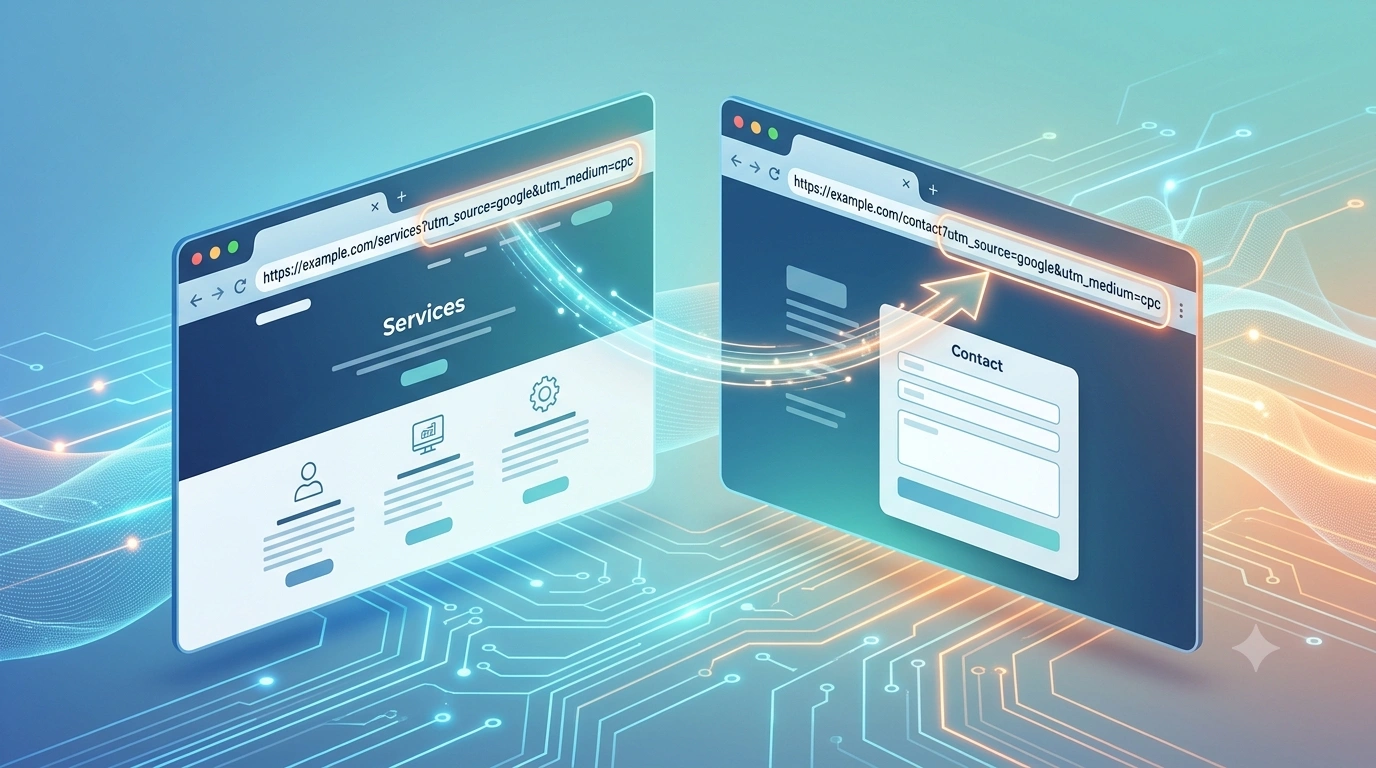

Someone clicks your ad. Your UTM parameters are in the URL.
They browse to the next page. The URL changes. The UTMs are gone.
By the time they fill out your form, your CRM shows a lead with no source. You know they came from a campaign. You just can’t prove it.
Here’s exactly why this happens — and how to fix it permanently.
Why UTM Parameters Don’t Pass to the Next Page
Most marketers assume UTM parameters follow the visitor as they browse. They don’t.
UTM Parameters Only Exist in the URL
UTMs are part of the query string. They are not stored anywhere by default.
The moment a visitor navigates to a new page — even on the same domain — the URL changes. The query string resets. The UTM parameters disappear.
So if your visitor lands on example.com/services?utm_source=google&utm_medium=cpc and clicks through to example.com/contact, the UTMs never make it to that second page.
Your form submission has no source attached.
Single-Page Navigation Doesn’t Protect You Either
Even if your site uses client-side navigation — React, Next.js, Vue, or similar frameworks — UTM parameters are still at risk.
Route changes don’t preserve query strings by default. A developer has to explicitly pass them through every navigation event. Most don’t.
You won’t get an error. The site works perfectly. The UTMs just quietly disappear.
Manual Workarounds Break Constantly
Some teams try to solve this with JavaScript that appends UTMs to every internal link. Others use GTM triggers to store values in sessionStorage or localStorage and read them back at submission.
These setups work — until something changes.
A new page template. A plugin update. A developer who wasn’t aware of the rule. Then they break silently. No alert. No error log. Just missing source data in your CRM, weeks later, when someone finally notices.
By then you’ve already made budget decisions on incomplete data.
How to Pass UTM Parameters to the Next Page
The fix requires three things: capturing UTMs the moment a visitor lands, storing them independently of the URL, and attaching them to the lead at form submission.
No custom code. No GTM workarounds.
Step 1: Sign up to LeadSources.io
Step 2: Add the script to your site
Place the LeadSources script in the <head> tag of your website.
The moment a visitor lands on any page with a UTM in the URL, the script captures and stores it in a first-party cookie. That cookie persists across every subsequent page the visitor browses — regardless of URL changes, internal navigation, or how many pages they visit before converting.
The UTM data is no longer tied to the URL. It travels with the visitor.
Step 3: Connect your form
Connect your form tool to LeadSources using the native integrations.
When the visitor submits a form on any page of your site, LeadSources automatically appends the stored UTM data to the submission. Every lead arrives in your CRM with the full source data intact: channel, source, medium, campaign, term, content.
What Changes When UTM Parameters Pass to Every Page
1. Every Lead Has a Source — No Matter Which Page They Convert On
Your visitors don’t always convert on the first page they land on.
They browse. They read. They leave and come back. They compare you against three competitors before filling out your form on a Tuesday afternoon, two weeks after clicking your ad.
With LeadSources, none of that breaks your attribution. Whether they convert on page 2 or page 12, whether they return the same day or three weeks later, the original UTM data is still attached to their submission.
Your CRM stops showing blank source fields.
2. You Can See Which Campaigns Drive Leads, Not Just Clicks
Google Ads and Meta Ads tell you who clicked your ad. They do not tell you who converted.
That gap is where most paid media budgets go wrong. A campaign with a high click-through rate and a low conversion rate looks like a winner in your ad platform. It’s not.
When UTMs persist through to form submission and land in your CRM, you close that gap. Every lead is tied back to the exact campaign, ad group, keyword, or creative that drove the first click.
You stop optimizing for clicks. You start optimizing for leads.
3. You Can Connect Lead Source to Revenue
Once UTM data lives in your CRM next to each contact, you can follow it through the entire pipeline.
Did the lead from that Google Ads campaign close? How much revenue did it produce? Which campaign generates leads that close at the highest rate?
Now you are measuring cost per acquisition and return on ad spend at the campaign level — not the channel level. Not an approximation. The actual number, tied to actual closed deals.
That is the data your CFO is asking for. That is the data that justifies your budget.
4. You Stop Making Budget Decisions on Incomplete Data
Most marketing teams allocate budget based on what they can measure, not what actually performs.
Organic looks strong in Google Analytics because last-click attribution takes all the credit for leads that started with a paid ad two sessions ago. Paid looks weak because the conversions never get attributed back correctly.
When every lead carries its original UTM source from first click to closed deal, the picture changes. Budgets move toward what actually drives revenue. Campaigns that look good in a dashboard but close nothing get cut. Channels that looked weak but generate high-value leads get more spend.
Frequently Asked Questions
Yes. The UTM data is stored in a first-party cookie, not in the URL. It persists across every page the visitor browses on your domain until they submit a form, regardless of how many pages they visit.
LeadSources still captures available source data — channel, device, OS, browser, and page path — even when no UTMs are present. Organic and direct traffic is attributed too, not just paid campaigns.
LeadSources captures UTM parameters for every single visit — not just the first one. Every time a visitor returns to your site, LeadSources records the UTM data for that session. When the visitor finally converts, the UTM parameters from every visit are attributed to the lead.
No. Google Analytics tracks website traffic and user behavior. LeadSources captures lead-level source data and passes it into your CRM at the moment of form submission. They solve different problems and work alongside each other.
LeadSources fills the gap GA4 cannot: tying individual leads and closed revenue back to the exact campaign, keyword, or ad that generated them.